
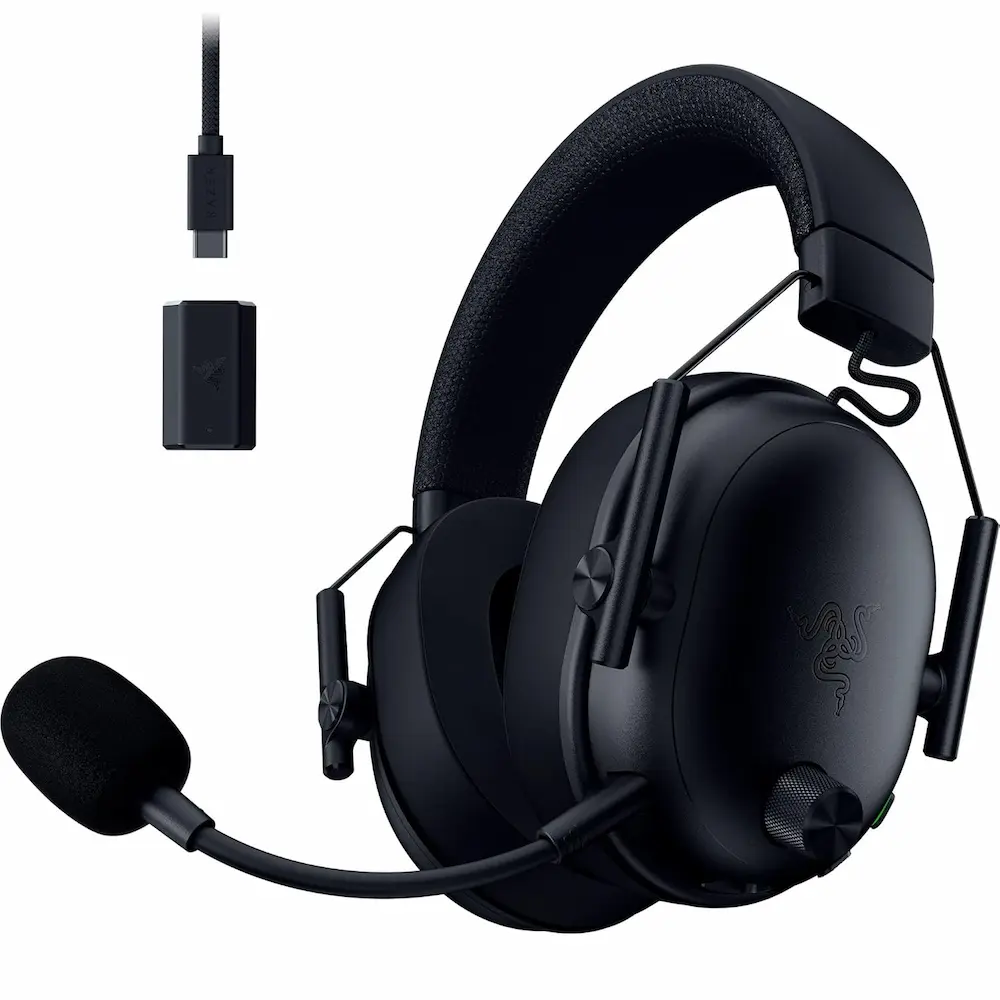
Razer BlackShark V3 Wireless Gaming Headset for PC Review: The New Esports Standard?
Finding the perfect balance between competitive precision and all-day comfort is the “holy grail” for gamers. With the release of the Razer BlackShark V3 Wireless Gaming Headset for PC, Razer has effectively refined its legendary helicopter-pilot aesthetic into a powerhouse of modern technology. Boasting 50mm drivers, a super-wideband microphone, and an impressive 70-hour battery life, this headset is making a serious play for your desktop setup.
In this comprehensive review, we’ll dive deep into why the Razer BlackShark V3 Wireless Gaming Headset for PC stands out in a crowded market, compare it against its fiercest rivals, and help you decide if it’s the right upgrade for your gaming rig.
5 Best Wireless Gaming Headsets for PC and PS5 (January 2026)
To give you the full picture, we’ve benchmarked the Razer BlackShark V3 against the current heavy hitters in the industry. Whether you are a professional esports athlete or a casual weekend warrior, one of these five picks will fit your needs.
1. Razer BlackShark V3 Wireless – Top Pick for Esports
The Razer BlackShark V3 Wireless is the mid-range champion of the new V3 lineup. It takes the pro-grade features of the “Pro” model—like the incredible 9.9mm Super Wideband Mic—and packages them into a more accessible price point. Its TriForce Titanium 50mm Gen-2 drivers are tuned specifically for positional awareness, making it easier than ever to track enemy footsteps in VALORANT or Apex Legends.
- Pros:
- Exceptional microphone clarity that rivals dedicated desk mics.
- Simultaneous 2.4 GHz and Bluetooth 5.3 connectivity.
- Incredible 70-hour battery life with fast Type-C charging.
- Cons:
- The 2.4 GHz dongle setup requires a cable for some PC configurations.
- Lacks the Active Noise Cancellation (ANC) found on the Pro model.
2. SteelSeries Arctis Nova Pro Wireless – Best Premium All-Rounder
If budget is no object, the Arctis Nova Pro Wireless remains the gold standard. It features a dual-battery hot-swap system, meaning you never have to plug it in to charge. Simply swap the battery in the base station, and you’re back in the game.
- Pros:
- Infinite battery life via the hot-swap system.
- Top-tier Active Noise Cancellation.
- Connects to two systems (e.g., PC and PS5) simultaneously.
- Cons:
- Significantly more expensive than the BlackShark V3.
- Internal microphone sensor can be uncomfortable for some ear shapes.
3. Audeze Maxwell 2 – Best for Audiophiles
For those who care as much about the soundtrack as the headshots, the Maxwell 2 uses massive 90mm planar magnetic drivers. The audio resolution is unmatched, providing a level of detail that traditional dynamic drivers simply can’t reach.
- Pros:
- Planar magnetic drivers for studio-quality sound.
- Robust, premium build quality using aluminum and steel.
- Massive 80-hour battery life.
- Cons:
- Considerably heavier than the BlackShark V3 (nearly 500g).
- Clamping force can be tight during long sessions.
4. Razer BlackShark V3 X HyperSpeed – Best Budget Pick
Looking for the BlackShark DNA without the premium price tag? The V3 X is the entry-level sibling that keeps the core comfort and 2.4 GHz wireless speed while stripping back the simultaneous Bluetooth and the titanium driver coating.
- Pros:
- Ultra-lightweight design (270g) for maximum comfort.
- Great price-to-performance ratio.
- Reliable 70-hour battery life.
- Cons:
- No simultaneous Bluetooth audio (must toggle).
- Microphone is not detachable.
5. Logitech G Pro X 2 LIGHTSPEED – Best for Durability
Logitech’s flagship is built like a tank with aluminum yokes and a steel headband. It uses Graphene drivers, which are incredibly stiff and lightweight, reducing distortion even at high volumes.
- Pros:
- Graphene drivers provide extremely crisp high-end detail.
- Swappable earpads (leatherette and cloth included).
- Excellent build quality that survives travel.
- Cons:
- No simultaneous Bluetooth/2.4GHz audio mixing.
- Microphone quality is slightly behind the Razer BlackShark V3.
Detailed Look: Why the Razer BlackShark V3 Wins on PC
The Razer BlackShark V3 Wireless Gaming Headset for PC is designed with a “less is more” philosophy that prioritizes performance. Unlike previous generations, the V3 features a native swivel on the earcups, allowing it to rest naturally around your neck or conform better to different head shapes.
The Super Wideband Microphone
The standout feature is undoubtedly the 9.9mm HyperClear Super Wideband Mic. While most gaming headsets compress your voice to a narrow frequency range, this mic captures a much broader spectrum. The result? Your teammates hear a rich, natural voice that sounds more like a broadcast and less like a walkie-talkie.
Dual-Wireless Versatility
With the addition of SmartSwitch Dual Wireless, you can stay connected to your PC via the ultra-low latency 2.4 GHz connection while being paired to your smartphone via Bluetooth. If you get a phone call mid-raid, you can answer it without ever taking the headset off.
Battery Life and Charging
In a world where we have too many things to charge, the 70-hour battery is a godsend. Even if you forget to plug it in, a quick 15-minute charge via USB-C provides roughly 6 hours of gameplay.
Buyer’s Guide: How to Choose the Right Gaming Headset
When shopping for a headset like the Razer BlackShark V3 Wireless Gaming Headset for PC, it’s easy to get lost in the marketing jargon. Here is what actually matters:
1. Drivers and Audio Signature
Most gaming headsets use 40mm or 50mm drivers. The “Titanium” coating on the BlackShark V3 helps stiffen the driver, which prevents “muddiness” in the bass. Look for headsets that offer a balanced sound signature so you can hear footsteps (high frequencies) without them being drowned out by explosions (low frequencies).
2. Connectivity Types
- 2.4 GHz Wireless: Essential for gaming. It provides near-zero latency.
- Bluetooth: Great for mobile gaming or taking calls, but usually has too much lag for competitive PC gaming.
- Simultaneous Wireless: This is the “pro” feature. It allows you to hear audio from both 2.4 GHz and Bluetooth at the same time.
3. Comfort and Weight
Weight is the silent killer of gaming sessions. A headset over 350g will likely cause neck strain after a few hours. The Razer BlackShark V3 Wireless Gaming Headset for PC hits the sweet spot at around 270g, making it one of the most comfortable options for marathon sessions.
4. Software Integration
On PC, software like Razer Synapse or SteelSeries GG allows you to customize EQ profiles. The V3 allows you to save these profiles directly to the headset, so your settings stay with you even if you plug it into a PS5 or a friend’s computer.
Conclusion: Is the Razer BlackShark V3 Worth It?
The Razer BlackShark V3 Wireless Gaming Headset for PC is a masterclass in iteration. It doesn’t try to reinvent the wheel; instead, it perfects the spokes. By combining an industry-leading microphone with a lightweight, comfortable chassis and a massive battery, Razer has created a mid-range monster that punchs well above its weight class.
“DISCLOSURE: This post contains affiliate links. If you make a purchase through one of our links, we may earn a commission at no extra cost to you.”